
10 January 2018 Technology Manager of Test Dept.
Summary
Want to replace a new HDD for your computer to get more space but do not want to reinstall system? Now you can make it by cloning whole HDD to a new one. All data and system will be reserved! The new HDD could be bootable at once!
Reasons for disk clone?
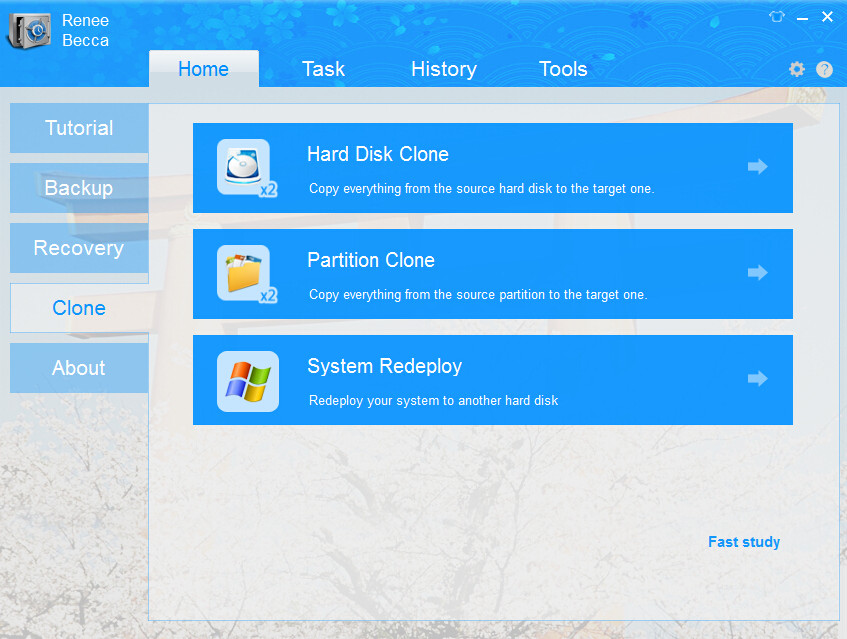
- Hard disk clone: it means to transfer data from one hard disk to another or other storage device. Disk clone can help to upgrade hard disk from old small disk to a new larger one without reinstallation of operating system and the applications.
- System Redeploy: helps to improve the system performance and transfer data quickly, such as migrate operating system from HDD to SSD.
- Make a disk duplicate: If all the data on the current system installed disk are important, it is necessary to do a complete backup of the source disk by cloning it to a target one.
Advantages
- One click for whole process without manually selecting any folders.
- Automatically set Boot Record, no need of any professional knowledge.
- Supporting the latest Volume Shadow Copy tech of Microsoft can handle clone while you work.
- Automatically initialization instead of artificially partition built.
- Support CD-R/RW, DVD-R/RW,DVD+R/RW and DVD+R DL drive for bootable media creation.
- High clone speed – 5GB/minute.
- Support cloning Windows system to a smaller SSD.
- Reconstruct file system.
- No need to clean up or defrag file system on source drive.
- Support large hard disk (including MBR, GPT hard disk, even 2TB+ hard disk)
- 30 days satisfactory Guarantee.
Other useful functions are provided besides clone one.
Backup Whole Operating System Continuously
Backup your medias, email and other files. Support any storage devices,like USB, external hard drives.
Set backups to run automatically whenever you want. Advanced VSS shadow technology can handle work while backups are underway.
Easily & Quickly Restore
Losing an important file, or unable to boot the computer. Don’t worry, you can go back in time to recover it in 3 simple steps.
See a timeline of all your backups, then preview and choose the file versions you want to restore.
Use Advanced Backup Routines
Incremental or differential backups can capture changes since your last backup and save disk space. Automatically deleting old images can also save disk space.
Using government-grade 256-bit AES encryption secures your backup files.
Create a Complete Disk Image
Backup and restore a complete disk image, not just files, but also OS, bookmarks, apps, .etc.
Clone disk for hard drive upgrade and clone partition for massive data transfer.
Erase Hard Drive for Security
Destroy all data on hard drives completely to prevent data from being recovered by any data recovery software.
Supports 17 security standards DoD 5220.22-M.
Lost data recovery
Data recovery can recover mistakenly deleted/ formatted/ lost/ corrupted/ inaccessible data which has not been backup or transferred from any storage devices like SD card, SSD, HDD, cameras, etc.
Technical References
Storage Media
Hard Disk Drives (Support 2TB+)
PATA (IDE), SATA, SCSI, SAS, IEEE1394
USB1.1/2.0/3.0 drives
MBR
GPT
Supported Operating Systems
Windows 8 all Editions
Windows 7 all Editions SP1
Windows Vista all Editions SP2
Windows XP all Edition
Windows Home Server 2011
Supported File Systems
FAT16/32, NTFS
Raw Image support
Steps Only 1-2-3
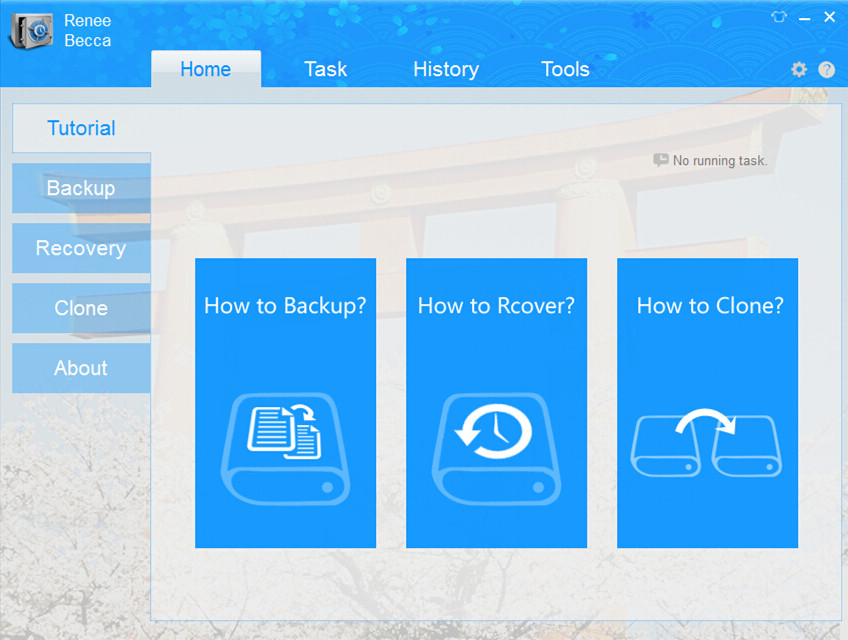
1. Launch Renee Becca & click “Clone”.
2. Select clone scheme accordingly.
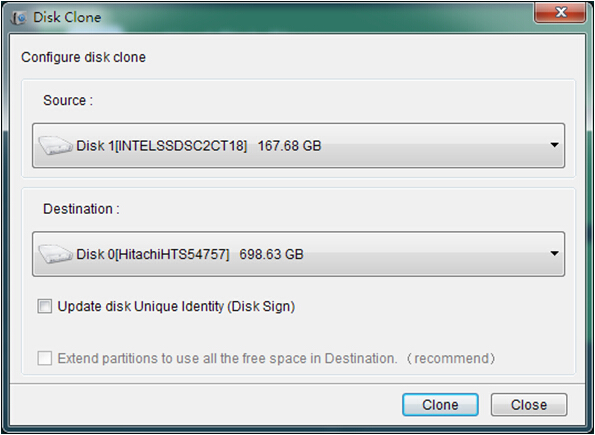
3. Select target drive and clone.
[rev_slider_vc alias="be-roller"]