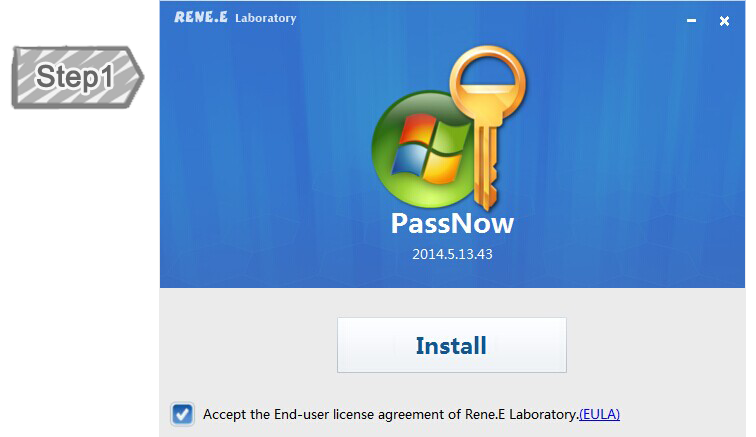
Forget Windows login password? Unable to access the files inside the account? However, try all possible methods provided by Microsoft, but the only solution is to reinstall system. But this operation will lost all the data. Is there any easy solution which can reset the forgotten Windows password? Download Windows password reset disk - PassNow! It can help you reset login password, clone hard disk, create disk partition or format disk, erase data and fix system startup problems. Now, it support reset Windows 10 password as well!

Key Features

Reset Login Password in 3 Minutes
Removes forgotten login password via 3 simple steps. No system reinstal. Works with Windows 10/8.1/8/7/XP/Vista.

Support CD/USB Boot Up
Renee PassNow well supports USB device startup. In some computer, CD/DVD device startup even better.

Copy HDD Data without Windows
Basing on Linux system, Renee Passnow can copy/back up disk data in non-Windows environment.

Erase Data on Disk without Trace
Drive Eraser deletes all the data on target disk without possibility of recover. Protect your data security.

Fix Windows Boot Failure
Windows startup failure is caused by MBR or DBR error. Renee PassNow repairs those errors quickly and recover Windows system.
Reset Windows Passwords
Reset Windows administrator’s or user’s password when you forget them.
This is a utility to reset/blank the password of any user account (including administrator) on all Windows system, by modifying the encrypted password in the registry’s SAM file. No need to know the old password. It works offline and 100% successful reset password in minutes by booting from a Live CD/USB.
Data Backup
Copy your hard drive without losing a bit.
Clone entire hard drive or partitions to an internal or external disk, including everything in your source drive to target drive:System, documents, programs, application settings, videos and so on. The Live CD/USB supports all Windows versions, Supports SCSI, SATA, IDE, IEEE1394, USB, and more.

Drive Eraser
Wipe entire hard drive or partition.
Drive Eraser is powerful and compact software that allows you to destroy all data on hard and floppy drives completely, prevent your data and files from being recovered by any data recovery software after you’ve donated or sold your computer.
Windows Recovery
Fix windows boot failure.
Windows Recovery in Renee Passnow helps you to resolve some Windows boot up issues. For example, fix MBR boot Records, DBR error parameters, black & blank screen, and 0xc00000e winload error.
Screenshots
Simple, Worry-free, Effective Windows Password Reset Software
User-friendly and easy-to-use,just a few steps for whole reset process. Perfect for the newbie and professional alike.
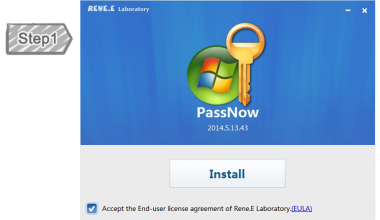
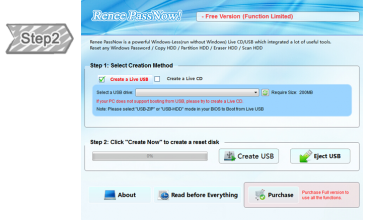
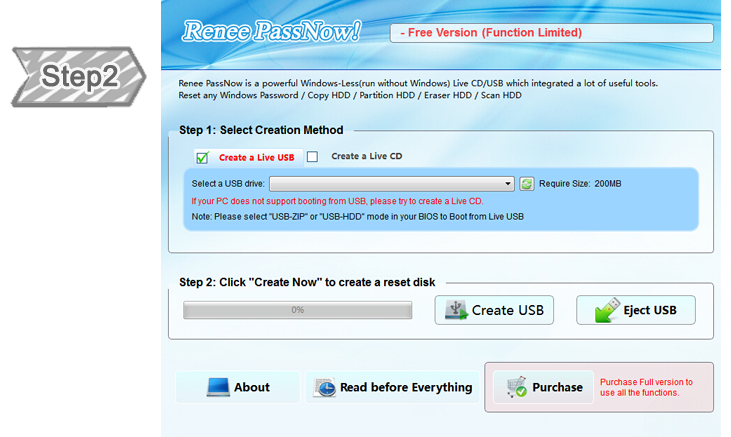
Create Bootable Media
Create a bootable USB/CD to operate your inaccessible target PC.
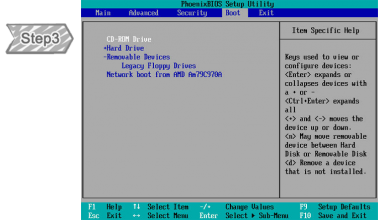
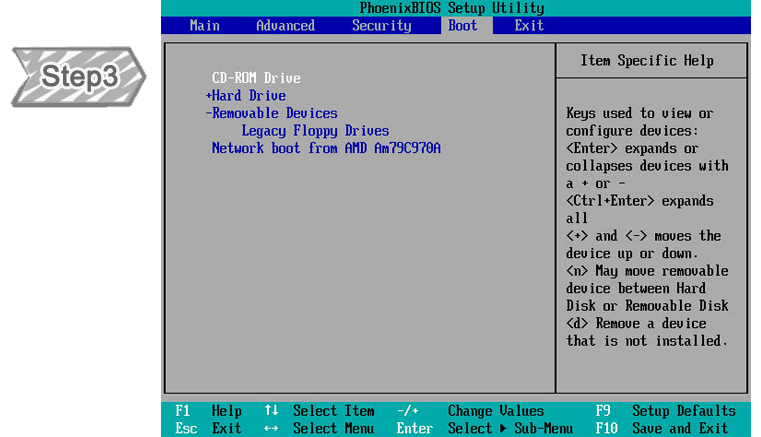
Set Boot Sequence
Change the boot order to boot from CD/USB in BIOS. If not, the PC will boot as usual.
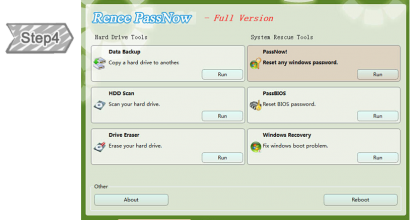
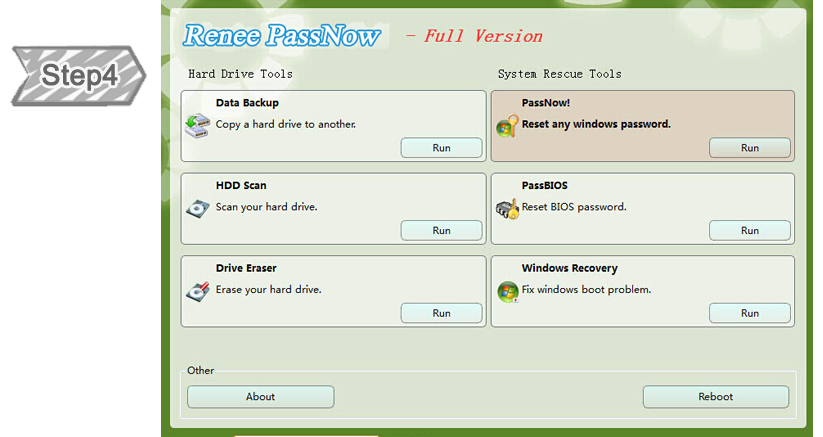
Start Menu
After boot successful, you will see this menu. Through this to rescue your PC.
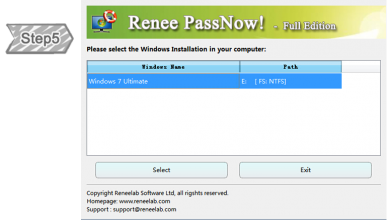
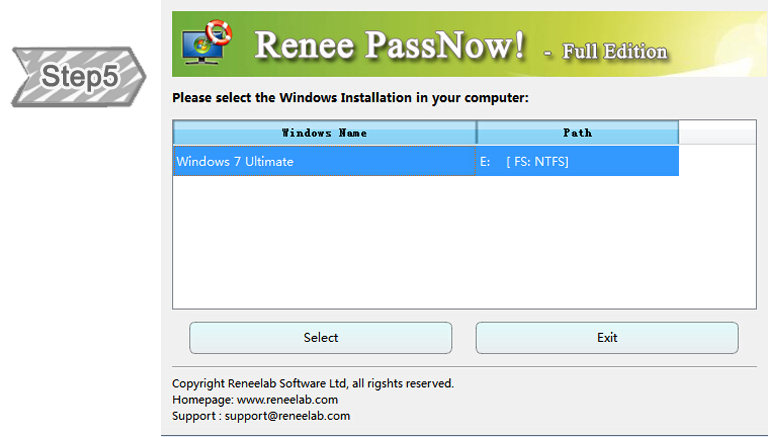
Select OS
After clicking PassNow, the box will display all Windows system in your PC.
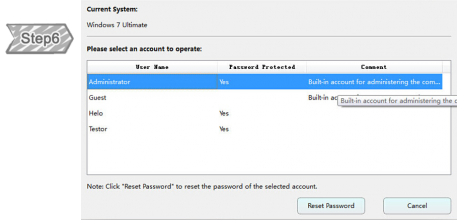
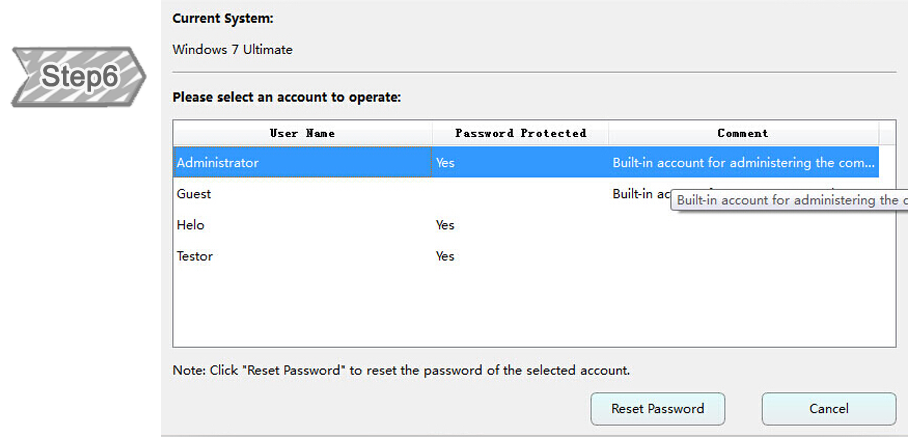
Select Account
Please select the account you wish to reset.
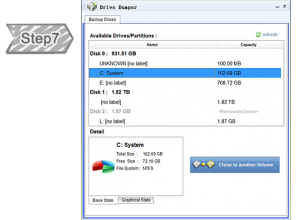
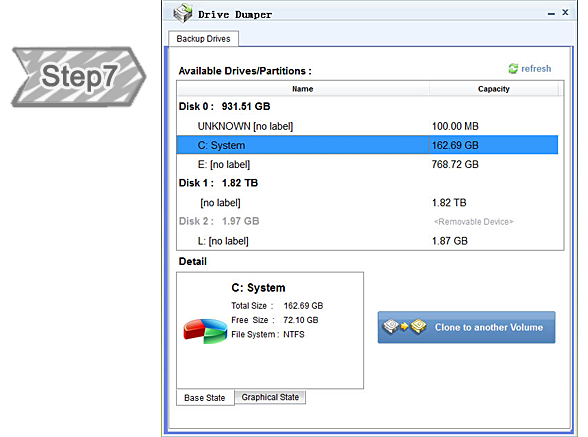
Drive Dumper
You can use this program to clone your hard disk or partition compeletly.
Help Center
24/7 Customer Service
Knowledgeable representatives available to assist you through live chat or E-mail – any time of day or night.
What should be done if my bios is locked?
1. If your computer is desktop: please take off the electron of your machine and wait for 10 minutes. Then put the electron back.
2. If your computer is laptop: please take off the computer battery and wait for 10 minutes.Then put the battery back
Then restart the computer by following changing the bootable order.
2. If your computer is laptop: please take off the computer battery and wait for 10 minutes.Then put the battery back
Then restart the computer by following changing the bootable order.
What should be done when Passnow mention "You are using Trial Version?
There could be two situation:
1) You did not purchase the Full Version. We can find out the account with the free version. We can reset Windows login password with the full version.
Solution: Please click here to purchase the full version: Buy Renee Passnow
2) You did not activate the software successfully or the bootable media you use is created under Trial Version.
Solution: 1) Please connect the customer service for activation code.
2) Please recreate the bootable media under full version
What should be done when computer still ask for password even Passnow said reset successfully?
Sometimes, even Passnow reset password successfully, Windows will still ask for password. At this situation, please press “Enter” directly.
How many payment methods for purchasing?
You can purchase Renee PassNow via Credit Card, PayPal and Wire transfer. We also accept Bravo, Euro Card, JCB, Novus, Master Debit and Visa Debit.
Is my purchase guaranteed by 60 days money-back?
Absolutely! All orders are backed by our unconditional 60 days money-back guarantee. If you are unhappy with your purchase, for any reason, simply contact us via e-mail for a full refund.
Support
Runs on: (Supports 32-bit and 64-bit versions)
- Windows 10
- Windows 8.1
- Windows 8
- Windows 7
- Vista
- XP
- Chinese
- Dutch
- English
- French
- German
- Italian
- Japanese
- Korean
- Polish
- Portuguese
- Russian
- Spanish
Clients & Testimonials
More Than 500,000 of Happy Customers