PDF is the most popular commercial file format but hard to edit. That is how Renee PDF aide comes in: it helps users convert PDF documents into editable files like Word, Excel, Power Point(PPT), Image, HTML, EPUB and txt documents. Also, it is equipped with advanced OCR technology which can recognizes characters in PDF image or scanned image. Helpful and easy-to-use. Moreover, it is free! No limitation! No need to provide any personal information!
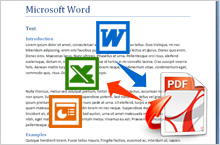
Convert from PDF
Convert PDF and protected PDF to Word, Excel, Text, PowerPoint, EPUB, HTML, RTF and Image like JPG, JPEG, PNG, TIFF, etc.
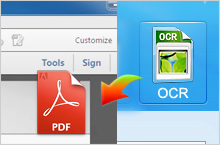
OCR for Scanned Images
Renee PDF Aide supports convert scanned PDF/image to text with built-in free OCR technology.
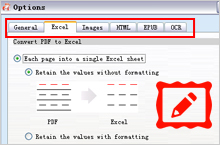
Batch Conversion
Import hundreds of PDF files by one simple click. The conversion efficiency reaches over 200 pages per minute.
Effective PDF Converter
PDF document is safe and convenient to read, print and sharing. However, we found it is impossible when trying to edit PDF documents. With Renee PDF Aide, we can convert PDF documents into different types of documents. Now free trial is available. Do not be hesitated to download anymore! Get the Free LicenseKey Features

Integrated OCR (Optical Character Recognition) Technology
Renee PDF aide integrates advanced ORC technology, which could convert scanned PDFs into editable formats, and to improve your work efficiency greatly.

Support Conversion of 6 Popular File Formats
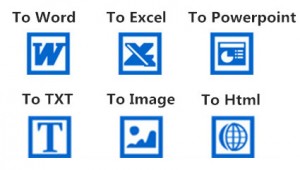
Renee PDF aide could convert PDF to Word/Excel/PowerPoint/Image/HTML/TXT etc., with a speed up to 80 pages/min.

Choose Specified Pages to Convert
It supports to convert specified pages of PDF, instead of converting the whole document, which improves work efficiency greatly.

Support Multiple Languages
Renee PDF aide supports conversion of PDF files in 9 common languages, such as English/French/German/Italian/Spanish/ Portuguese/Chinese/Korean/Japanese etc. In ORC Mode, you need to select corresponding language to improve character recognition rate.
Screenshots
Advanced, Welcomed, Effective PDF converting software
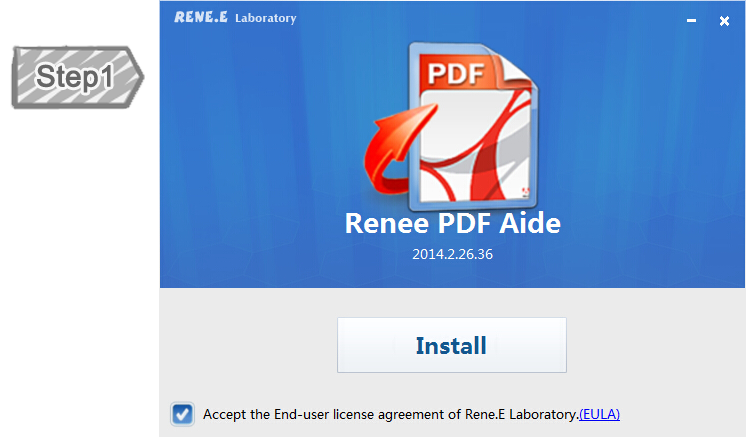
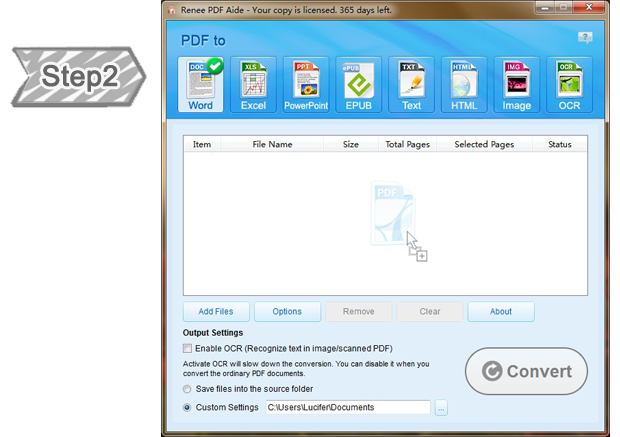
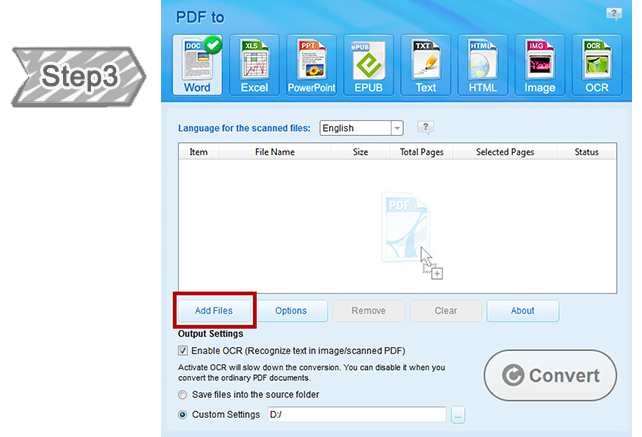
Easy-to-use,just a few steps for whole reset process. Perfect for the newbie and professional alike.
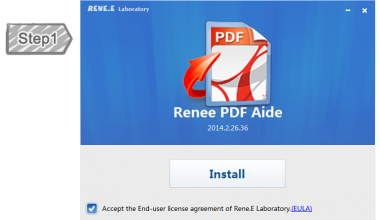
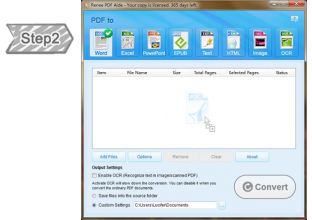
Main Menu
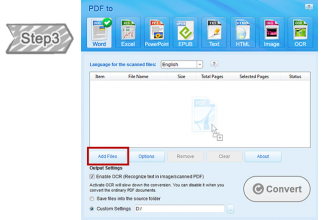
Import PDF Documents
Input the PDF documents you wish to transfer.
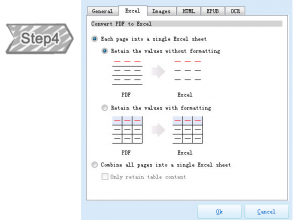
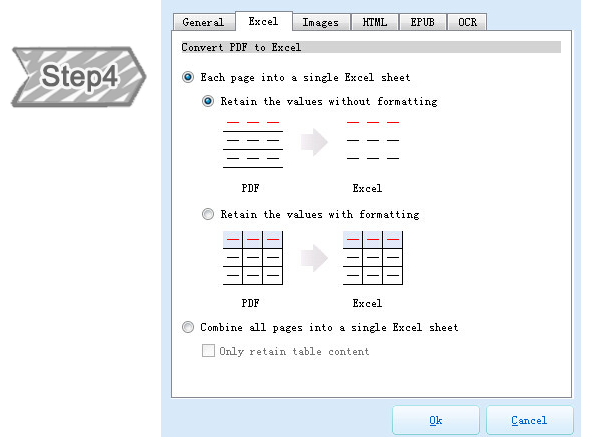
Set format of Output Documents
Select the format which you want your PDF documents to transfer into.
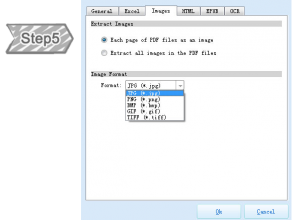
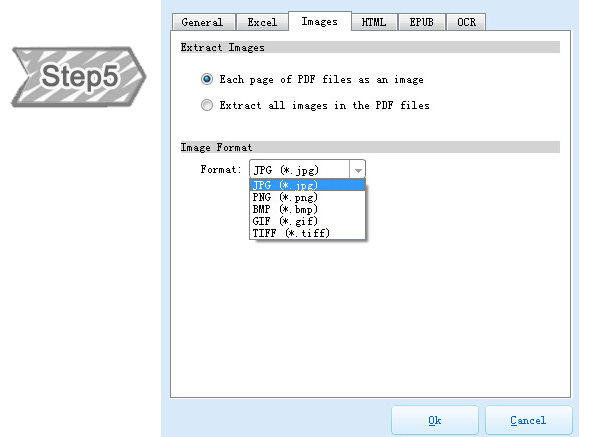
Select the formats of the output image
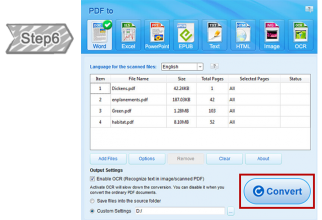
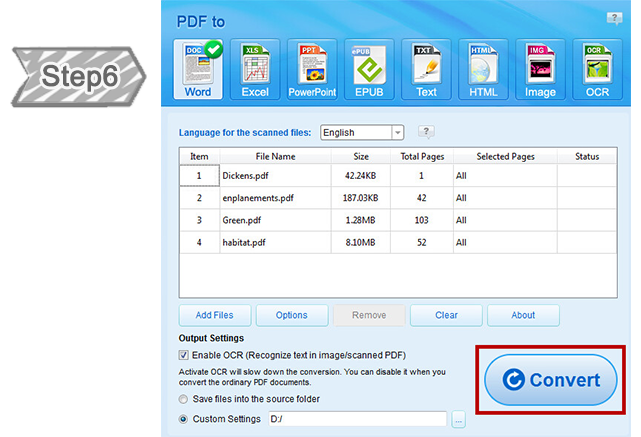
Convert PDF documents
Click “Convert” to transfer the selected PDF documents.
Help Center
24/7 Customer Service
Knowledgeable representatives available to assist you through live chat or E-mail
– any time of day or night.
How do I get technical support from Rene.E Lab?
First of all, you need to purchase a valid license (We do not provide any support to the free version), and then our Customer Service team will respond to your request by Email within 24 hours.
Is my purchase guaranteed by 60 days money-back?
Absolutely! All orders are backed by our unconditional 60 days money-back guarantee. If you are unhappy with your purchase, for any reason, simply contact us via e-mail for a full refund.
Support
Runs on: (Supports 32-bit and 64-bit versions)
- Windows 10
- Windows 8.1
- Windows 8
- Windows 7
- XP
- Vista
- Chinese
- Dutch
- English
- French
- German
- Italian
- Japanese
- Korean
- Polish
- Portuguese
- Russian
- Spanish
Clients & Testimonials
More Than 500,000 of Happy Customers