You are here:
Free Windows 7 Password Recovery
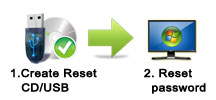
Forgetting Windows password is never a funny thing.What’s worse, sometime the account of which password is forgotten is the only account in Windows system and don’t have the password reset disk, you may told to re-install Windows. (Opinions from Microsoft). Windows re-installation means all data in the account will lost and the computer will back to the status you purchased it. Is there an easy way which can have the free Windows 7 password recovery without data lost? Luckily, yes. All you need is a CD/USB and 3 simple clicks.

Procedures of Free Windows 7 Password Recovery
Step 1: Download and Install the program, and create a Live USB/CD which is the password reset disk.
Now, Renee PassNow is compatible with Windows 8/7/Vista/XP/2000. You can insert a USB stick to your PC and create a live USB. CD/DVD devices start up even better.
Step 2: Boot your target PC and Change the boot order in BIOS.
First Insert the live USB/CD in your PC, Secondly, Change the boot order of the target PC in BIOS. If the optical drive is not first in the boot order, your PC will start “normally” (i.e. boot from your hard drive) and will not check your disc drive.
After successfully changing the boot order, please save the BIOS and reboot your PC.
You must reboot the target PC and hold a Hot key to Enter the BIOS menu.Please click here to find how to change the boot order of your computer brand.(Cannot find your brand? Please refer to your PC manual to find out the method.)
Step 3: Reset Windows Admin/Login Password.
Enter the program and select the “Passnow” function.
Step 4: Select a target account, and click “Reset Password” to reset its login password.
Restart your PC and enjoy the fun.
If you are using Windows 8 system, the Administrator account may not be displayed. In this case, you must click the extend button to display it, then, you can login the system.
If you are using Windows 8 system, the Administrator account may not be displayed. In this case, you must click the extend button to display it, then, you can login the system.
With Renee Passnow, you can reset your forgotten/lost Windows 7 password and regain access to your account in 5 minutes with 3 simple steps. No need of any related professional knowledge when you use the software! Download Renee Passnow and enjoy your free Windows 7 password recovery journey.
Loading comments...